Notice: Joomla\Registry\Registry::get(): The script tried to execute a method or access a property of an incomplete object. Please ensure that the class definition "�" of the object you are trying to operate on was loaded _before_ unserialize() gets called or provide a __autoload() function to load the class definition in C:\xampp\htdocs\Joomla3x\libraries\vendor\joomla\registry\src\Registry.php on line 215

Notice: Joomla\Registry\Registry::get(): The script tried to execute a method or access a property of an incomplete object. Please ensure that the class definition "�" of the object you are trying to operate on was loaded _before_ unserialize() gets called or provide a __autoload() function to load the class definition in C:\xampp\htdocs\Joomla3x\libraries\vendor\joomla\registry\src\Registry.php on line 215

Notice: Joomla\Registry\Registry::bindData(): The script tried to execute a method or access a property of an incomplete object. Please ensure that the class definition "�" of the object you are trying to operate on was loaded _before_ unserialize() gets called or provide a __autoload() function to load the class definition in C:\xampp\htdocs\Joomla3x\libraries\vendor\joomla\registry\src\Registry.php on line 800

Notice: Joomla\Registry\Registry::bindData(): The script tried to execute a method or access a property of an incomplete object. Please ensure that the class definition "�" of the object you are trying to operate on was loaded _before_ unserialize() gets called or provide a __autoload() function to load the class definition in C:\xampp\htdocs\Joomla3x\libraries\vendor\joomla\registry\src\Registry.php on line 800

Notice: Joomla\Registry\Registry::bindData(): The script tried to execute a method or access a property of an incomplete object. Please ensure that the class definition "�" of the object you are trying to operate on was loaded _before_ unserialize() gets called or provide a __autoload() function to load the class definition in C:\xampp\htdocs\Joomla3x\libraries\vendor\joomla\registry\src\Registry.php on line 800

Notice: Joomla\Registry\Registry::bindData(): The script tried to execute a method or access a property of an incomplete object. Please ensure that the class definition "�" of the object you are trying to operate on was loaded _before_ unserialize() gets called or provide a __autoload() function to load the class definition in C:\xampp\htdocs\Joomla3x\libraries\vendor\joomla\registry\src\Registry.php on line 800

Notice: Joomla\Registry\Registry::bindData(): The script tried to execute a method or access a property of an incomplete object. Please ensure that the class definition "�" of the object you are trying to operate on was loaded _before_ unserialize() gets called or provide a __autoload() function to load the class definition in C:\xampp\htdocs\Joomla3x\libraries\vendor\joomla\registry\src\Registry.php on line 800

Notice: Joomla\Registry\Registry::bindData(): The script tried to execute a method or access a property of an incomplete object. Please ensure that the class definition "�" of the object you are trying to operate on was loaded _before_ unserialize() gets called or provide a __autoload() function to load the class definition in C:\xampp\htdocs\Joomla3x\libraries\vendor\joomla\registry\src\Registry.php on line 800

Notice: Joomla\Registry\Registry::bindData(): The script tried to execute a method or access a property of an incomplete object. Please ensure that the class definition "�" of the object you are trying to operate on was loaded _before_ unserialize() gets called or provide a __autoload() function to load the class definition in C:\xampp\htdocs\Joomla3x\libraries\vendor\joomla\registry\src\Registry.php on line 800

Notice: Joomla\Registry\Registry::bindData(): The script tried to execute a method or access a property of an incomplete object. Please ensure that the class definition "�" of the object you are trying to operate on was loaded _before_ unserialize() gets called or provide a __autoload() function to load the class definition in C:\xampp\htdocs\Joomla3x\libraries\vendor\joomla\registry\src\Registry.php on line 800

Notice: Joomla\Registry\Registry::bindData(): The script tried to execute a method or access a property of an incomplete object. Please ensure that the class definition "�" of the object you are trying to operate on was loaded _before_ unserialize() gets called or provide a __autoload() function to load the class definition in C:\xampp\htdocs\Joomla3x\libraries\vendor\joomla\registry\src\Registry.php on line 800

Notice: Joomla\Registry\Registry::bindData(): The script tried to execute a method or access a property of an incomplete object. Please ensure that the class definition "�" of the object you are trying to operate on was loaded _before_ unserialize() gets called or provide a __autoload() function to load the class definition in C:\xampp\htdocs\Joomla3x\libraries\vendor\joomla\registry\src\Registry.php on line 800

Notice: Joomla\Registry\Registry::bindData(): The script tried to execute a method or access a property of an incomplete object. Please ensure that the class definition "�" of the object you are trying to operate on was loaded _before_ unserialize() gets called or provide a __autoload() function to load the class definition in C:\xampp\htdocs\Joomla3x\libraries\vendor\joomla\registry\src\Registry.php on line 800

Notice: Joomla\Registry\Registry::bindData(): The script tried to execute a method or access a property of an incomplete object. Please ensure that the class definition "�" of the object you are trying to operate on was loaded _before_ unserialize() gets called or provide a __autoload() function to load the class definition in C:\xampp\htdocs\Joomla3x\libraries\vendor\joomla\registry\src\Registry.php on line 800

Notice: Joomla\Registry\Registry::bindData(): The script tried to execute a method or access a property of an incomplete object. Please ensure that the class definition "�" of the object you are trying to operate on was loaded _before_ unserialize() gets called or provide a __autoload() function to load the class definition in C:\xampp\htdocs\Joomla3x\libraries\vendor\joomla\registry\src\Registry.php on line 800

Notice: Joomla\Registry\Registry::bindData(): The script tried to execute a method or access a property of an incomplete object. Please ensure that the class definition "�" of the object you are trying to operate on was loaded _before_ unserialize() gets called or provide a __autoload() function to load the class definition in C:\xampp\htdocs\Joomla3x\libraries\vendor\joomla\registry\src\Registry.php on line 800

Notice: Joomla\Registry\Registry::get(): The script tried to execute a method or access a property of an incomplete object. Please ensure that the class definition "�" of the object you are trying to operate on was loaded _before_ unserialize() gets called or provide a __autoload() function to load the class definition in C:\xampp\htdocs\Joomla3x\libraries\vendor\joomla\registry\src\Registry.php on line 215

Notice: Joomla\Registry\Registry::get(): The script tried to execute a method or access a property of an incomplete object. Please ensure that the class definition "�" of the object you are trying to operate on was loaded _before_ unserialize() gets called or provide a __autoload() function to load the class definition in C:\xampp\htdocs\Joomla3x\libraries\vendor\joomla\registry\src\Registry.php on line 215

Notice: Joomla\Registry\Registry::get(): The script tried to execute a method or access a property of an incomplete object. Please ensure that the class definition "�" of the object you are trying to operate on was loaded _before_ unserialize() gets called or provide a __autoload() function to load the class definition in C:\xampp\htdocs\Joomla3x\libraries\vendor\joomla\registry\src\Registry.php on line 215

Notice: Joomla\Registry\Registry::get(): The script tried to execute a method or access a property of an incomplete object. Please ensure that the class definition "�" of the object you are trying to operate on was loaded _before_ unserialize() gets called or provide a __autoload() function to load the class definition in C:\xampp\htdocs\Joomla3x\libraries\vendor\joomla\registry\src\Registry.php on line 215

Notice: Joomla\Registry\Registry::get(): The script tried to execute a method or access a property of an incomplete object. Please ensure that the class definition "�" of the object you are trying to operate on was loaded _before_ unserialize() gets called or provide a __autoload() function to load the class definition in C:\xampp\htdocs\Joomla3x\libraries\vendor\joomla\registry\src\Registry.php on line 215

Notice: Joomla\Registry\Registry::get(): The script tried to execute a method or access a property of an incomplete object. Please ensure that the class definition "�" of the object you are trying to operate on was loaded _before_ unserialize() gets called or provide a __autoload() function to load the class definition in C:\xampp\htdocs\Joomla3x\libraries\vendor\joomla\registry\src\Registry.php on line 215
https://www.aege.pt/index.php/escola-digital/videos-tutoriais Sun, 14 Jun 2026 03:14:13 +0000 Joomla! - Open Source Content Management pt-pt Desbloquear um computador https://www.aege.pt/index.php/escola-digital/videos-tutoriais/928-desloquear-um-computador https://www.aege.pt/index.php/escola-digital/videos-tutoriais/928-desloquear-um-computador Os computadores portáteis do kit da Escola Digital têm um sistema de proteção CUCo. Este sistema pode bloquear o computador no arranque do mesmo e surgir um ecrã azul a solicitar um código para desbloquear.

Para desbloquear um computador bloqueado é necessário um outro computador (ou tablet ou smartphone) com ligação à internet.

Aqui fica um conjunto de instruções para efetuar o desbloqueio.

Tutorial da Inforlândia com instruções sobre como efetuar o desbloqueio - https://www.inforlandia.com/wp-content/uploads/2021/09/Tutorial_cuco.pdf

Sítio para introduzir os dados e recolher o código de desbloqueio (conforme o ponto 3 e 4 do tutorial) - https://cuco.inforlandia.pt/ucode/

Depois do computador desbloquear, deverá ligar à internet e correr o ficheiro descarregado deste sítio - Sítio para descarregar o patch (ficheiro de correção) para impedir novo bloqueio - http://cuco.inforlandia.pt/updates/


]]>
Tutoriais e Explicativos Thu, 09 Jan 2025 14:35:45 +0000
Como pausar as atualizações do Windows https://www.aege.pt/index.php/escola-digital/videos-tutoriais/802-como-pausar-as-atualizacoes-do-windows https://www.aege.pt/index.php/escola-digital/videos-tutoriais/802-como-pausar-as-atualizacoes-do-windows Durante a realização das Provas é conveniente que o computador não esteja a descarregar atualizações e sobretudo que não faça instalações e reinicie, provando um enorme constrangimento ao aluno e uma imensa perda de tempo.

Para evitar que isso aconteça, sugere-se que se proceda à pausa das atualizações do Windows, impedindo assim que o computador esteja a gastar energia, tempo, performance e haja inclusivamente situações desagradáveis inesperadas.

O tutorial que segue explica como fazer esse serviço de pausar as atualizações do Windows.

Clicar aqui para ver.


]]>
Tutoriais e Explicativos Thu, 11 May 2023 10:03:00 +0000
Atualizar sistema operativo https://www.aege.pt/index.php/escola-digital/videos-tutoriais/797-atualizar-sistema-operativo https://www.aege.pt/index.php/escola-digital/videos-tutoriais/797-atualizar-sistema-operativo Os computadores devem ser mantidos com o sistema operativo Windows atualizado, por razões de segurança, fiabilidade e funcionamento.

Para efetuar essas atualizações, aconselha-se que os computadores estejam ligados à corrente (com o carregador conectado) e, de preferência, com uma rede de internet WiFi (por exemplo, fazer com o WiFi em casa ou na escola, evitando realizar com o hotspot para não esgotar o plafond).

Tutorial explicativo - AQUI


]]>
Tutoriais e Explicativos Wed, 03 May 2023 09:44:37 +0000
Instalar a aplicação Microsoft Teams no computador https://www.aege.pt/index.php/escola-digital/videos-tutoriais/758-instalar-a-aplicacao-microsoft-teams-no-computador https://www.aege.pt/index.php/escola-digital/videos-tutoriais/758-instalar-a-aplicacao-microsoft-teams-no-computador Recebeste o teu computador pessoal do kit escola digital e agora tens de trabalhar com a aplicação Microsoft Teams.

Se o teu computador já tiver o Microsoft Teams instalado, só tens de configurar a tua sessão e entrar com a conta (credenciais) que te foram fornecidas pelo teu professor titular ou diretor de turma.

Caso o computador não tenha o Teams instalado, aqui fica um tutorial explicativo para o fazeres.

{Youtube}https://youtu.be/KJ3WA807Rzk{/Youtube}


]]>
Tutoriais e Explicativos Fri, 18 Nov 2022 12:19:35 +0000
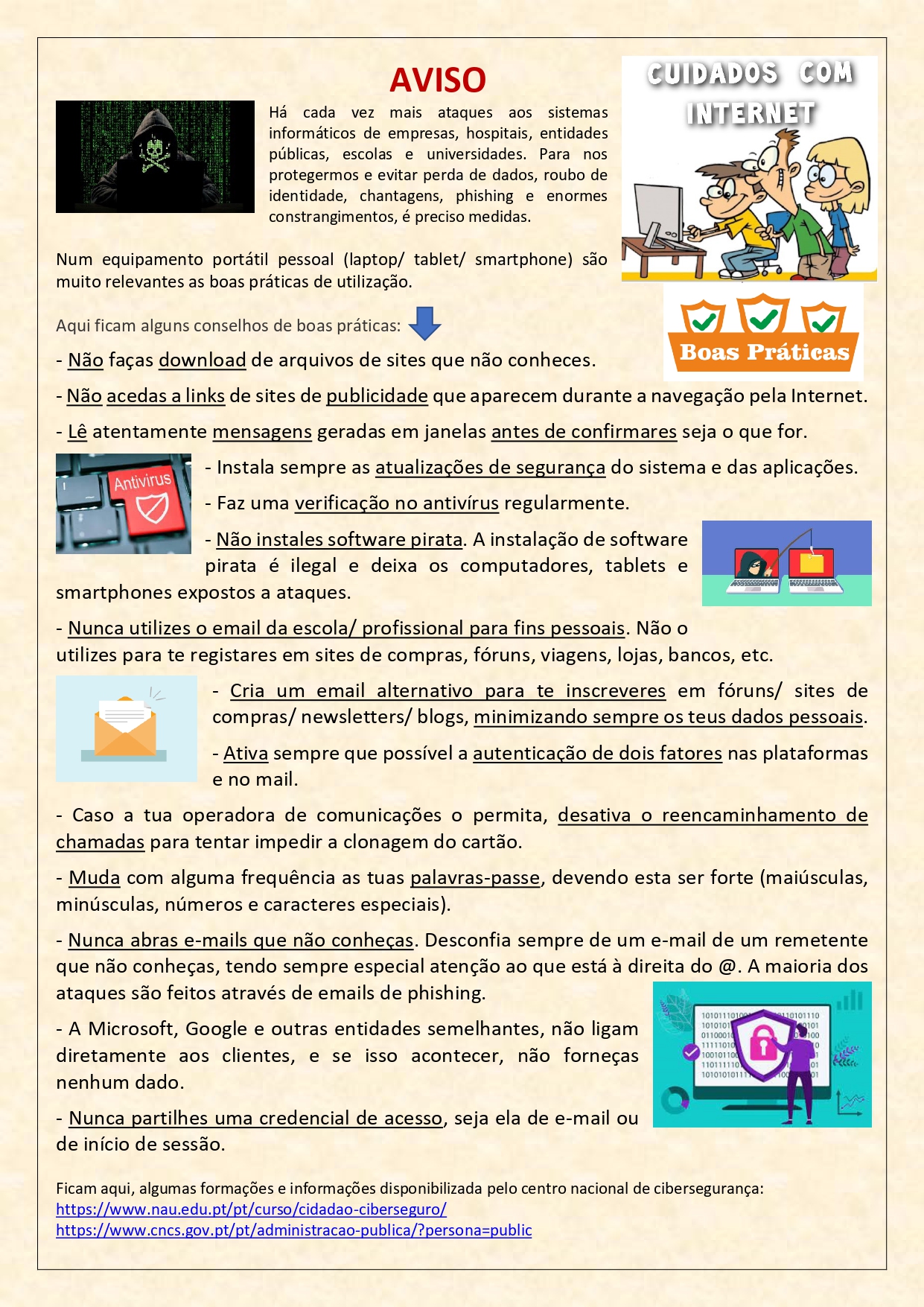
Cuidados com o mundo digital https://www.aege.pt/index.php/escola-digital/videos-tutoriais/755-cuidados-com-o-mundo-digital https://www.aege.pt/index.php/escola-digital/videos-tutoriais/755-cuidados-com-o-mundo-digital
Recomendações para um uso responsável e cuidadoso do digital
Nos tempos atuais, todos nós temos elementos no mundo digital. Para tirarmos partido dos recursos informáticos, é preciso um conjunto de cuidados. Aqui fica uma lista deles.

]]>
Tutoriais e Explicativos Wed, 16 Nov 2022 11:23:17 +0000
Instalar o Microsoft Teams https://www.aege.pt/index.php/escola-digital/videos-tutoriais/747-instalar-o-microsoft-teams https://www.aege.pt/index.php/escola-digital/videos-tutoriais/747-instalar-o-microsoft-teams  

Existem duas versões do aplicativo Microsoft Teams.

A versão utilizada para a Escola é a versão escolar.

O link para fazer download é este: https://go.microsoft.com/fwlink/p/?LinkID=2187327&clcid=0x816&culture=pt-pt&country=PT


]]>
Tutoriais e Explicativos Wed, 26 Oct 2022 10:13:09 +0000
Autenticação no Office online https://www.aege.pt/index.php/escola-digital/videos-tutoriais/682-autenticacao-no-office-online https://www.aege.pt/index.php/escola-digital/videos-tutoriais/682-autenticacao-no-office-online Video explicativo para aceder e utilizar o Office 365 online e o Teams com a conta fornecida pela Escola.

{Youtube}https://youtu.be/__5uLebw5zE{/Youtube}


]]>
Tutoriais e Explicativos Wed, 16 Mar 2022 15:52:15 +0000
Utilizar o Microsoft Teams - para alunos https://www.aege.pt/index.php/escola-digital/videos-tutoriais/681-utilizar-o-microsoft-teams-para-alunos https://www.aege.pt/index.php/escola-digital/videos-tutoriais/681-utilizar-o-microsoft-teams-para-alunos Video Tutorial para explicar aos alunos como utilizar o Microsoft Teams no Computador:

{Youtube}https://www.youtube.com/watch?v=3U_LVXb0e_c{/Youtube}


Video Tutorial para explicar aos alunos como utilizar o Microsoft Teams no Telemóvel ou no Tablet:

{Youtube}https://www.youtube.com/watch?v=-ulCVWaw3Ns{/Youtube}


]]>
Tutoriais e Explicativos Wed, 16 Mar 2022 09:53:59 +0000
Cuidados a ter no uso dos equipamentos https://www.aege.pt/index.php/escola-digital/videos-tutoriais/646-cuidados-a-ter-no-uso-dos-equipamentos https://www.aege.pt/index.php/escola-digital/videos-tutoriais/646-cuidados-a-ter-no-uso-dos-equipamentos Os equipamentos do programa Escola Digital destinam-se aos alunos que frequentam a escola durante o seu ciclo de ensino. O equipamento de Tipo I são para os alunos do 1.º ciclo, e os de Tipo II para os alunos do 2.º e 3.º ciclos. O aluno conserva esses equipamentos e devolve-os no final do ciclo, ou seja, o do tipo I devolve no final do 4.º ano, e o do tipo II devolve no final do 9.º ano.

Para que os equipamentos durem e funcionem bem é preciso naturalmente fazer um bom uso e ter cuidados. As caixas devem ser mantidas em bom estado. O computador, auscultadores, carregador e hotspot devem ser cuidados para que tudo esteja em bom estado.

Aqui ficam algumas dicas.

{Youtube}https://youtu.be/tbvRXrmb6BQ{/Youtube}


]]>
Tutoriais e Explicativos Mon, 06 Dec 2021 16:18:18 +0000
Videos informativos sobre Kits Digitais - inicial https://www.aege.pt/index.php/escola-digital/videos-tutoriais/556-videos-informativos-e-tutoriais-sobre-kits-digitais https://www.aege.pt/index.php/escola-digital/videos-tutoriais/556-videos-informativos-e-tutoriais-sobre-kits-digitais  


Informação sobre o Kit Escola Digital do 1.º ciclo sobre equipamentos, algumas recomendações


{Youtube}https://www.youtube.com/watch?v=uV8AVFiHjos|400|225|0{/Youtube}


Recomendações de conectividade e operacionalidade. Componentes do kit Digital: computador, carregador, hotspot, headset, mochila.


{Youtube}https://www.youtube.com/watch?v=LSmzft1ZSwY|400|225|0{/Youtube}


Conectar hotspot ao computador, configuração de ligações por WIFI e por cabo


{Youtube}https://www.youtube.com/watch?v=yk-bKsVlMcM|400|225|0{/Youtube}


Informação sobre o Kit Escola Digital - componentes do kit para o 2.º e 3.º ciclos


{Youtube}https://www.youtube.com/watch?v=tQOwsvaUado|400|225|0{/Youtube} 


Funcionamento do computador, ligação à internet com o router interno, cartão de dados, conectividades, recomendações


 {Youtube}https://www.youtube.com/watch?v=_bxShJFCdAQ|400|225|0{/Youtube}


Funcionamento do computador, ligação à internet com o router interno, cartão de dados, conectividades, recomendações


{Youtube}https://www.youtube.com/watch?v=r25QjdROvrQ|400|225|0{/Youtube}

]]>
Tutoriais e Explicativos Wed, 21 Apr 2021 07:06:38 +0000